🔻 WATCH THE VIDEO BELOW 🔻

Touchscreens vs. Knobs: The Digital Future of Automotive Interiors (2026 Analysis)
For over a century, the automotive industry has been defined by a singular, unifying experience: the driver’s hands, firmly gripping a steering wheel, fingers tracing the familiar path of a gear shift and the satisfying click of interior buttons. But as our vehicles transform into extensions of our digital lives, resembling the ubiquitous smartphones we carry, a critical question has emerged. This isn’t merely about aesthetics or brand differentiation; it is a fundamental reassessment of the driver-machine interface. The debate centers on one core question: Are touchscreens really better than traditional knobs and buttons in cars?
In 2026, this question holds more weight than ever. The rapid proliferation of advanced driver-assistance systems (ADAS), sophisticated infotainment platforms, and the ever-increasing complexity of car software demands a seamless and safe user experience. Whether you are shopping for a new car, considering a used car sale, or looking to trade in your vehicle, the interior design significantly impacts your daily drive, safety, and resale value. Understanding this transition—from physical buttons to digital interfaces—is crucial for today’s consumers navigating the highly competitive car insurance market and exploring financing options like mortgage rates that may apply if you’re looking at new home builds.
The Enduring Appeal of Tactile Control: Why Physical Buttons Persist
For decades, manual controls have been the bedrock of automotive design. This dominance is not accidental; it is rooted in the very biology of human interaction. Physical buttons, switches, and knobs offer a tactile experience that is both comforting and efficient. This “familiarity factor” is paramount. Because the location of a volume knob or the AC control is fixed, drivers develop what engineers call muscle memory.
Expert Insights: From my decade of experience in the auto industry, I’ve seen firsthand that muscle memory is not just a convenient feature; it is a safety necessity. A driver does not need to look away from the road to adjust the climate control or find their favorite radio station. This consistency breeds confidence.
Functional Certainty and User Preference
The reliability and predictability of physical controls are often cited as major advantages. When a driver turns a knob, they feel the resistance, hear the ‘click,’ and know the action has occurred. This sensory feedback is crucial for functions like adjusting headlights or activating turn signals in a new or used car.
Furthermore, the physical interface offers car manufacturers a powerful tool for brand differentiation. For instance, Audi has built a reputation for its satisfying ‘clicking’ feedback, while Bentley’s optional ‘Diamond Knurling’ specification elevates interior controls to an art form.
Case Study Example: Consider the difference between an Audi RS7 and a Tesla Model S. The RS7 offers a tangible, satisfying feel when adjusting climate settings, appealing to drivers who appreciate the precision of sports cars and high-performance luxury sedans. Conversely, the Tesla prioritizes minimalism, forcing users to interact with menus on the central screen. For a driver used to the tactile feel of a BMW 3-series, this shift can be jarring.
The Downside: Clutter and Complexity
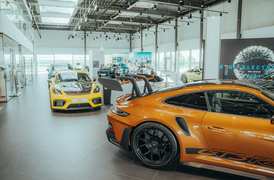
However, the convenience of physical controls has a breaking point. As the automotive industry continually adds new features—from seat heating to ADAS integration and navigation systems—dashboards risk becoming oversaturated. Older Porsche models, like the Macan and Panamera, serve as classic examples of design flaws where an abundance of physical controls creates a visual and functional overload.
In the modern era, where connectivity and entertainment are paramount, integrating these functions into a digital display is often the only way to maintain clean, streamlined interior aesthetics. For consumers exploring options, such as looking at new home builds or comparing different types of home loans, the same logic applies: too many choices can lead to analysis paralysis and frustration. Similarly, for car shoppers, excessive clutter detracts from the premium feel of a luxury car or the intuitive design of a family sedan.
The Allure of the Glass Dashboard: Why Touchscreens Dominate
On the other end of the spectrum are touchscreen controls. They provide a sleek, minimalist aesthetic that mirrors our smartphones and personal devices. By integrating various functions within a single central display, designers can create clutter-free interiors. The Volkswagen Golf Mk8 stands as a prime example of how touch controls can revolutionize vehicle interiors.
Innovation in Functionality and Aesthetics
Beyond mere aesthetics, touchscreens enable innovative functionality. The ‘smart’ climate control features in new VW models, such as ‘warm feet’ and ‘clear windows’ presets, would be difficult to achieve with conventional knobs and buttons. These features enhance the user experience, making the driving environment more personalized and comfortable.
The transition to touchscreens is also a necessity driven by software updates and over-the-air (OTA) improvements. As vehicles become “computers on wheels,” software-driven interfaces are more flexible and scalable than physical ones. For consumers in the electric car (EV) market, this is especially true. Many EVs utilize a single, large screen for nearly all controls, from battery management to infotainment. This approach allows manufacturers to push new features via software, effectively giving the car a new life long after it leaves the dealership.
High CPC Keyword Integration: Searching for EV battery cost? Understanding the move to touchscreens is part of the bigger picture. Manufacturers use these platforms to manage vehicle performance, reducing the need for physical switches associated with older combustion engine models. This shift impacts everything from used car prices to the resale value of your sedan or SUV.
The Safety Challenge: User Error and Distraction
The primary criticism of touchscreen interfaces is the lack of tactile feedback. Without a physical reference point, drivers must look away from the road to operate the interface, which can divert attention and increase the risk of accidents. This issue is often amplified by poor user interface (UI) design or slow system response times.
However, companies like Tesla have successfully addressed this challenge. By pairing a fast CPU with an intuitive user interface that keeps key controls in a fixed position, Tesla demonstrates how touchscreens, when implemented correctly, can deliver an excellent user experience. Tesla’s strategy of “less is more” relies on a highly optimized software environment, forcing users to adapt to a different way of operating their vehicle. For buyers comparing Tesla stock prices or considering EV investing, this UI approach is a critical factor in long-term value.

The Middle Ground: Blending Physical and Touch Controls
In recognition of the need for both modern aesthetics and functional clarity, many manufacturers have opted for a hybrid approach, combining physical and touchscreen controls. Volkswagen’s facelifted models feature a ‘touch slider’ concept for air-conditioning controls. Similarly, Volvo integrates climate controls within a touchscreen while retaining a knob for volume and music control. Mercedes-Benz’s latest models also adopt this approach, incorporating key controls within a large touchscreen display.
Expert Analysis: This hybrid approach represents the best of both worlds. It provides drivers with the tactile familiarity of knobs for critical functions while allowing for the flexibility and modern aesthetics of touchscreens for entertainment and navigation. For a buyer considering luxury car options, this hybrid design can be the decisive factor in choosing between different car insurance plans, as it often leads to fewer distractions and improved driver safety.
How Hybrid Design Works in Practice
Hybrid designs typically retain physical buttons for functions that are used most frequently, such as volume, climate, and drive mode selection. These buttons are often placed within easy reach of the driver and passenger, allowing for quick, intuitive operation without looking away from the road.
Meanwhile, touchscreen displays are used for less frequently accessed functions, such as navigation, settings, and software updates. This approach allows for a cleaner, more modern interior without compromising functionality.
Cost Comparison: While premium luxury cars often feature sophisticated hybrid designs, the cost is a consideration for car shoppers. A vehicle with a highly integrated touchscreen system or advanced physical controls can increase the overall price tag. This is why used car sales often appeal to buyers looking for value, but they must also consider the long-term costs of maintenance and insurance associated with older software or complex systems.
The Future of Car Controls: Voice Assistance and ADAS Integration
As voice assistant technology advances, the debate over physical versus touchscreen controls may become redundant. In-built Google Assistant in Polestar models and Siri or Google Assistant functionality in Apple CarPlay and Android Auto are indicative of this trend. Voice commands can provide a safe and intuitive way to operate car controls, perhaps pointing toward the future of vehicle user interfaces.
Safety and Efficiency in the Digital Age
The integration of voice assistants represents a paradigm shift in how drivers interact with their vehicles. Instead of navigating menus or searching for physical buttons, drivers can simply use their voice to control navigation systems, make phone calls, or adjust infotainment settings. This is a critical safety feature that reduces driver distraction and improves overall road safety.
For consumers considering new home builds, the cost of features like smart home integration mirrors the evolving demands in the automotive industry. The price for these advanced features continues to drop, making them accessible to a